
World of Tanks mod

Version 0.2.0 #37 · World of Tanks 2.4.0.2

Every Gunmarks mod

Distance to tanks

How far each spotted tank is from yours, on its marker.

Get it on the Mod Hub

What is new in #37: One file now, with its own version and updates: Gunmarks Core is no longer needed. A tab of its own on the settings page

Version · #37
0.2.0
Released
6 Oct 2026
World of Tanks
2.4.0.2
Download
548 KB

What it does

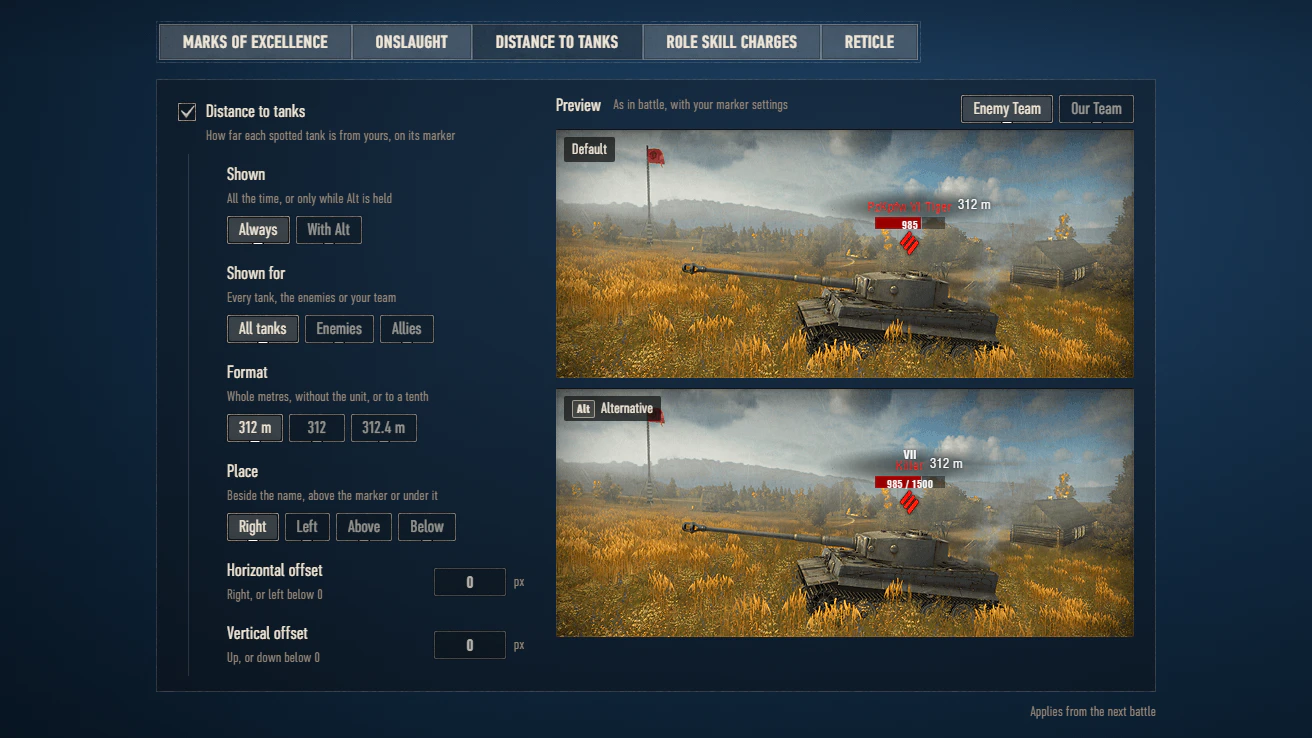
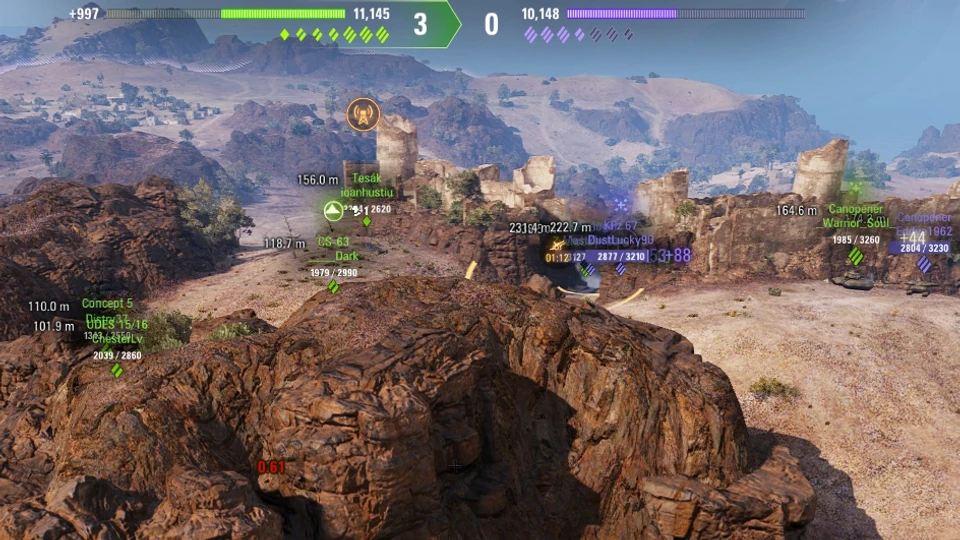
The distance to every spotted tank as plain text on the marker above it, in the game's own font: always or while Alt is held, for every tank, the enemies or your team, as 312 m, 312 or 312.4 m, beside the name, above the marker or under it, moved to the pixel. The settings show it on the game's own sample markers, with your marker settings. Replaces the client's vehicle markers movie with a rebuild of it, so another mod that replaces that movie cannot run beside it.

  • The distance on every spotted tank’s marker, in the game’s own font; from the tank you watch once yours is destroyed.
  • Always or with Alt; for every tank, the enemies or your team; as 312 m, 312 or 312.4 m.
  • Beside the name, above the marker or under it, moved to the pixel; previewed on the game’s own sample markers with your marker settings.

Works with

World of Tanks 2.4.0.2
Made for this game version, and its own part of the game’s interface for one exact build of it (v.2.4.0.2 #966). After a game update the game’s own is back until the mod is updated too.
Runs on its own
No other Gunmarks mod is needed. It is one file, and openwg_gameface comes with it.
Beside the other Gunmarks mods
Any of them, whatever their versions: they share one garage panel, one settings page and one battle panel, and each is updated on its own.
Integration level 1
What another Gunmarks mod checks before it works with this one. The part every Gunmarks mod shares is at level 9 here and runs mods made for 1 or later; this mod needs 2. These levels, never a version number, decide which mods work together.

Good to know

  • Only tanks you can see have a distance: the mod reads the markers the game already shows. It is updated five times a second, and destroyed tanks have none.
  • The mod replaces the game’s vehicle markers file with a rebuild of it that can also draw the distance. When another mod brings vehicle markers of its own (XVM does), the mod leaves the markers to it and stays off, and the settings page says why.
  • The rebuild is made for one exact game build. After a game update the mod switches itself off until its own update for that build is out: the markers are then the game’s own, and the settings page says why.
  • No distance in event modes that bring their own markers.
  • To stop showing it, untick “Distance to tanks” in the settings. To go back to the game’s own markers file, delete the mod’s file.