World of Tanks mod
Your Marks of Excellence in the garage and in battle, every player’s WN8 above their tank and in the team lists, and your Onslaught rank and last battles, drawn like the game’s own interface.
Leopard 1
Marks of Excellence
Next 95% · 3,456 dmg
Battles
1,284
Win rate
61.4%
Version
0.1.0
Build #13
World of Tanks
2.4.0.1
Game client
Download
276 KB
Zip archive
Downloads
8
All versions
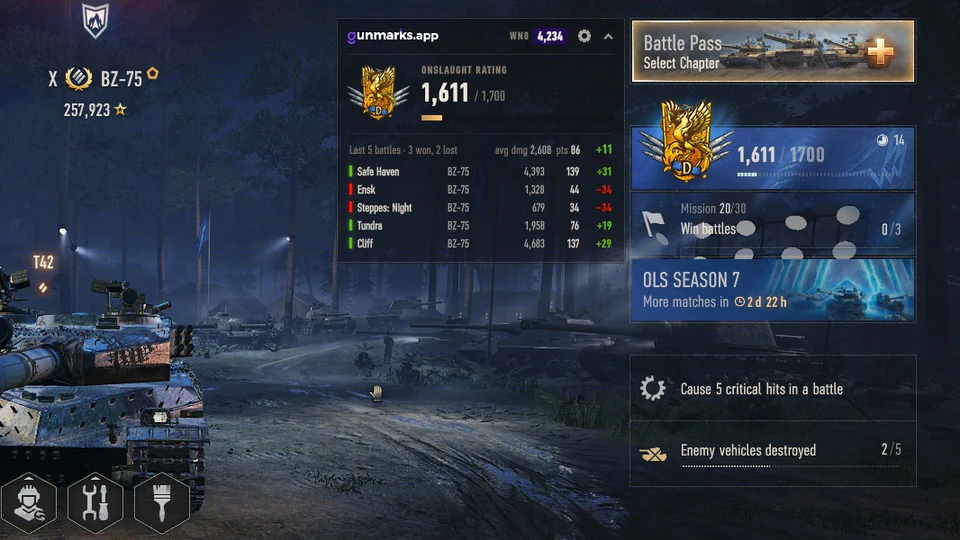
Onslaught garage
Your rank and rating, and your last battles with their damage, Prestige Points and rating change.
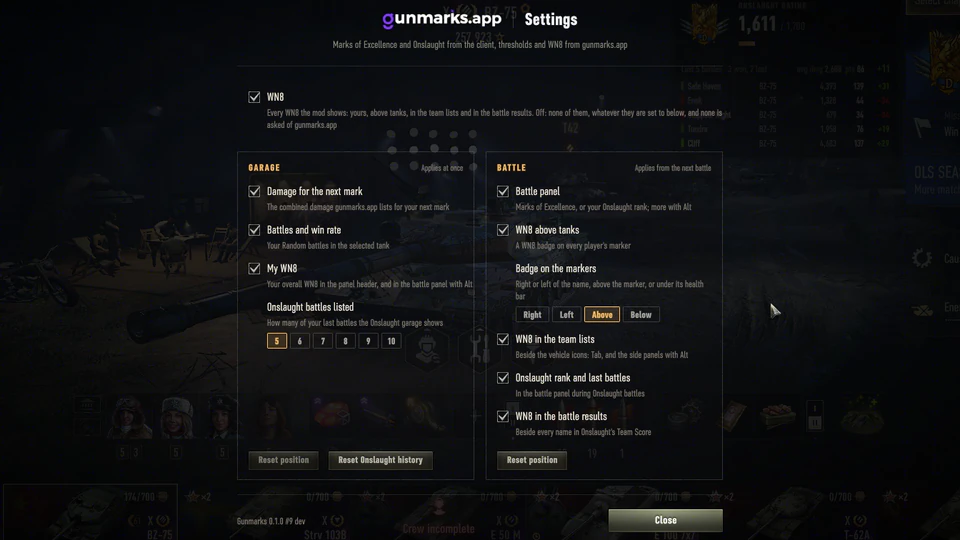
Settings
Every part can be turned on or off, WN8 everywhere at once included, and the WN8 badge placed where you like it.
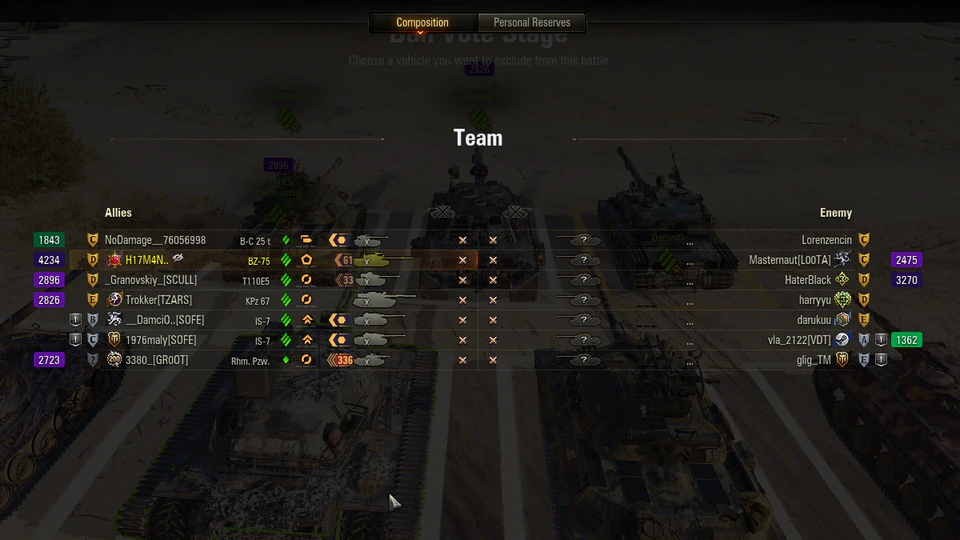
Tab screen
WN8 beside both teams, clear of the kills and names, in Onslaught as in Random battles.
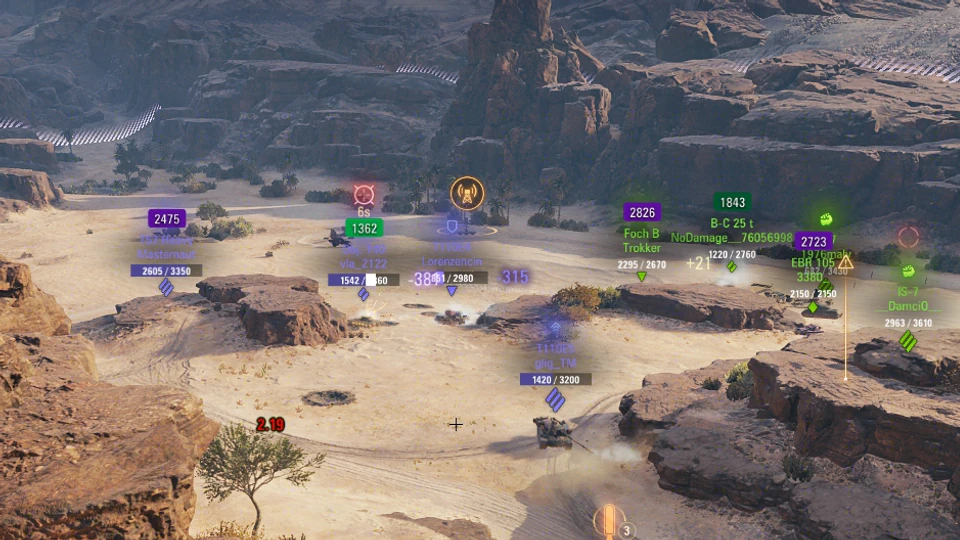
WN8 above tanks
Every player’s WN8 on their marker in gunmarks.app’s colours; hold Alt and the markers show the rest.
Close World of Tanks
Download the zip
gunmarks_0.1.0.13_wot2.4.0.1.zip (276 KB)
Extract it into your World of Tanks folder
The folder with WorldOfTanks.exe in it, for example C:\Games\World_of_Tanks_EU. The zip's mods folder goes into the game's, so you end up with:
mods\2.4.0.1\app.gunmarks_0.1.0.wotmodmods\2.4.0.1\net.openwg\net.openwg.gameface_1.1.6.wotmod
If another mod already put a net.openwg.gameface_*.wotmod in mods\2.4.0.1, keep only one of them.
Start the game
The Gunmarks panel appears in the garage; its gear opens the settings. The first start writes mods\configs\gunmarks\config.json.
When a new version is out, the garage panel says so and its Download button opens this page. Close the game, delete the old app.gunmarks_*.wotmod and install the new one the same way. Your settings and positions are kept.
After a World of Tanks update the game uses a new mods folder, named after its version: wait for the mod's release for it.
Delete app.gunmarks_*.wotmod from mods\2.4.0.1, and the mods\configs\gunmarks folder to remove your settings too.
Keep net.openwg if another mod uses it.
Your Marks of Excellence, battles and Onslaught results come from the game itself. The mod asks gunmarks.app for the damage each mark takes (EU and NA), for the WN8 of the players in your battles (by their public account ids), and once per game start whether a newer version is out. No password, no login and nothing about your battles is sent. With WN8 turned off in its settings, no rating is asked for at all.